
Walk-in sign-in and turn list
Walk-ins signed in, turns kept fair
Replace the clipboard and the turn list on the wall. Walk-ins sign in on a tablet by the door, show up on every staff screen, and NailPocket tells you which technician is up next.
Free for 14 days · No credit card needed
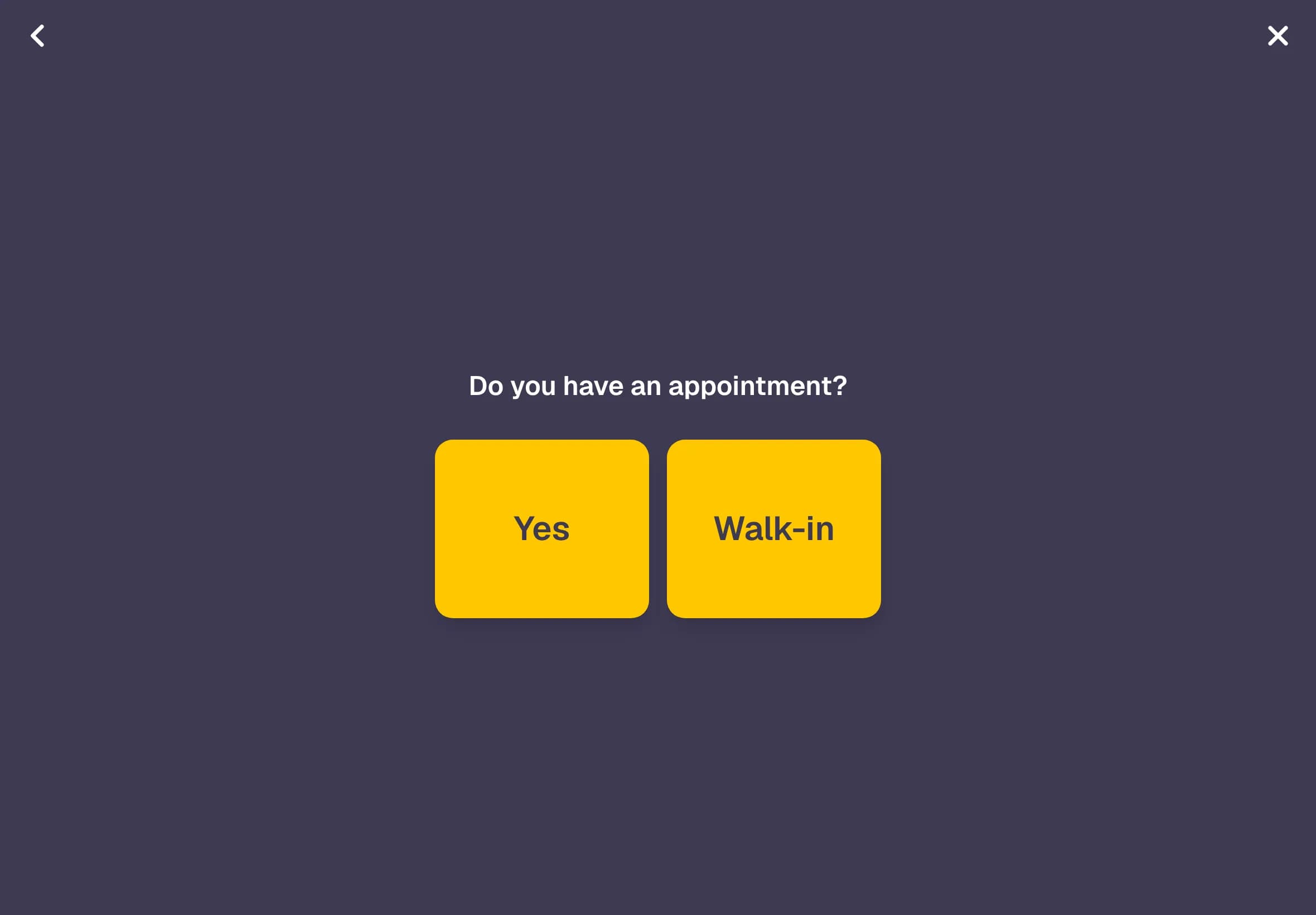
A sign-in kiosk by the door
Set up any tablet as your kiosk. Walk-ins enter their phone number, their name and how many people are coming, then pick their services. Clients with an appointment check in with their phone number and can change their services before they sit down.
- Works on any iPad or Android tablet
- Appointments are found by phone number, no paper list
- Groups sign in together
- "Please have a seat. We will call when we're ready."
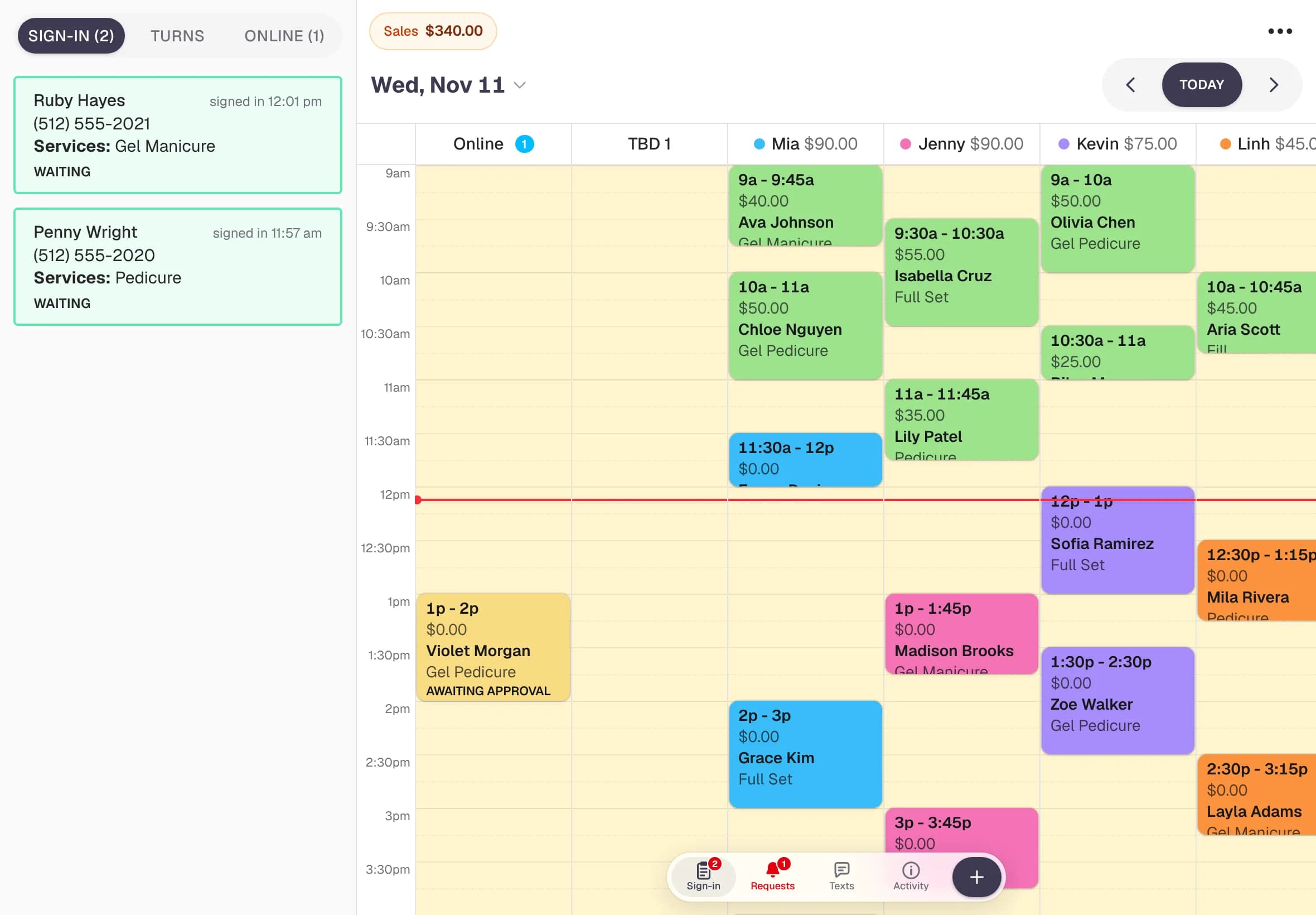
A turn list that runs itself
When you check in a walk-in with a technician, the booking goes on that tech's column and they move to the back of the turn list. Techs who haven't had a turn yet come first, so everyone gets a fair share of walk-ins.
- Next tech up at the top of the list
- Taking a client moves that tech to the end
- Owners and managers can drag the order
- Online requests waiting for approval in the same panel
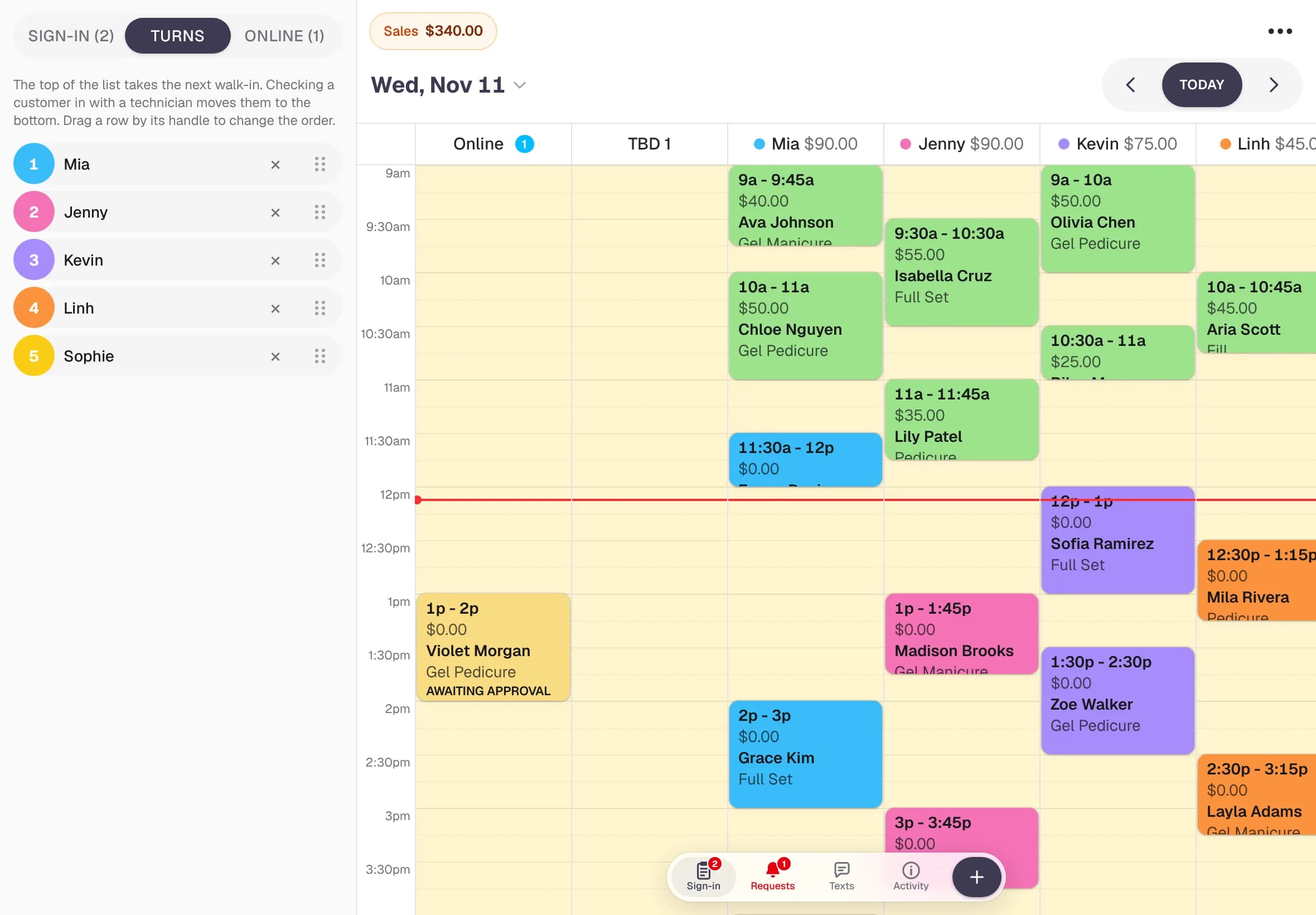
See it at the front desk
Open a booking, check it out, drag an appointment to another tech, then look at walk-ins, turns and online requests from the side panel, all on one screen.
How it works
Set up in minutes
- 1
Open the kiosk on a tablet
Sign in on the tablet and open Customer Sign In from the menu. Leave it by the door.
- 2
Walk-ins sign in
They enter their phone number, name and services. They appear in the Sign-in tab on every staff screen.
- 3
Check them in with a tech
Tap the walk-in, pick the next tech from the turn list, and the booking lands on the calendar.
Questions
Walk-ins & turn list: common questions
What do I need for the sign-in kiosk?
Any iPad or Android tablet with a web browser. Sign in to NailPocket on it and open Customer Sign In from the menu. Nothing to install.
How does the turn list decide who's next?
Technicians who haven't had a turn today come first, then the one whose last turn was longest ago. When a tech takes a walk-in they move to the end. Owners and managers can drag the order by hand.
Can clients with an appointment use the kiosk too?
Yes. They tap that they have an appointment and enter their phone number. NailPocket finds their booking around this time and lets them check their services.
Can a group of friends sign in together?
Yes. The kiosk asks how many people are coming and what services each person wants, and they're checked in as a group.
Ready for a calmer front desk?
Try every feature free for 14 days. No credit card, no contract, nothing to install.