
Waiting list for full days
Turn cancellations into bookings
Saturday is full, then someone cancels. Instead of an empty chair, NailPocket texts the clients on that day's waiting list with a link to book the time that just opened.
Free for 14 days · No credit card needed
Lotus Nail Lounge
Sat 9:12 AM
Lotus Nail Lounge: Hi Maya, a time opened up on Nov 15 at 11:30am or 12:00pm with Jenny. It isn't held, so book soon: nailpocket.com/booking/lotus/w/… or call (512) 555-0199
Booked 11:30! Thank you 🙏
Clients join in a few taps
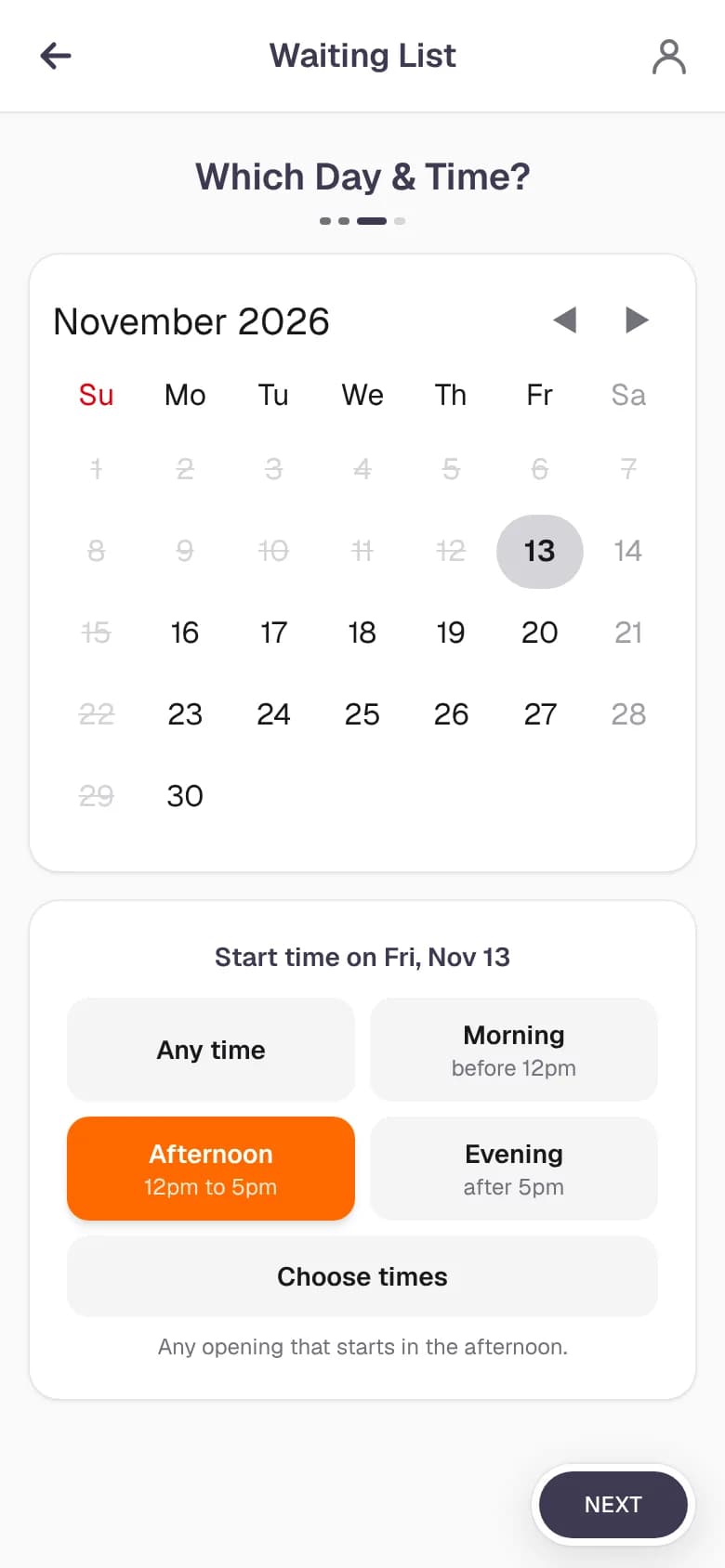
When the day a client wants is full, Book Now offers the waiting list. They keep the technician and services they picked, choose a time range (morning, afternoon, evening or any time) and leave their name and phone number. No account needed.
- Morning, afternoon, evening, any time or a custom range
- A favorite tech or anyone
- Only offered when no fitting time is free
- Clients with too many no-shows can't join
A text the moment a time opens
NailPocket keeps checking. When a booking is cancelled or moved and a matching time opens up, everyone waiting for it gets a text (and an email if they left one) with a link that opens Book Now with their choices filled in. The first to book gets it.
- Works around the clock, even when the salon is closed
- Nothing is held, so the chair is filled fast
- At most 3 messages per request, an hour apart
- The request closes on its own once they book
How it works
Set up in minutes
- 1
Turn it on
The waiting list is on for every store. Switch it on or off in Store Management under customer messages.
- 2
Clients join on full days
When a day is full, your booking page offers the waiting list instead of a dead end.
- 3
Openings fill themselves
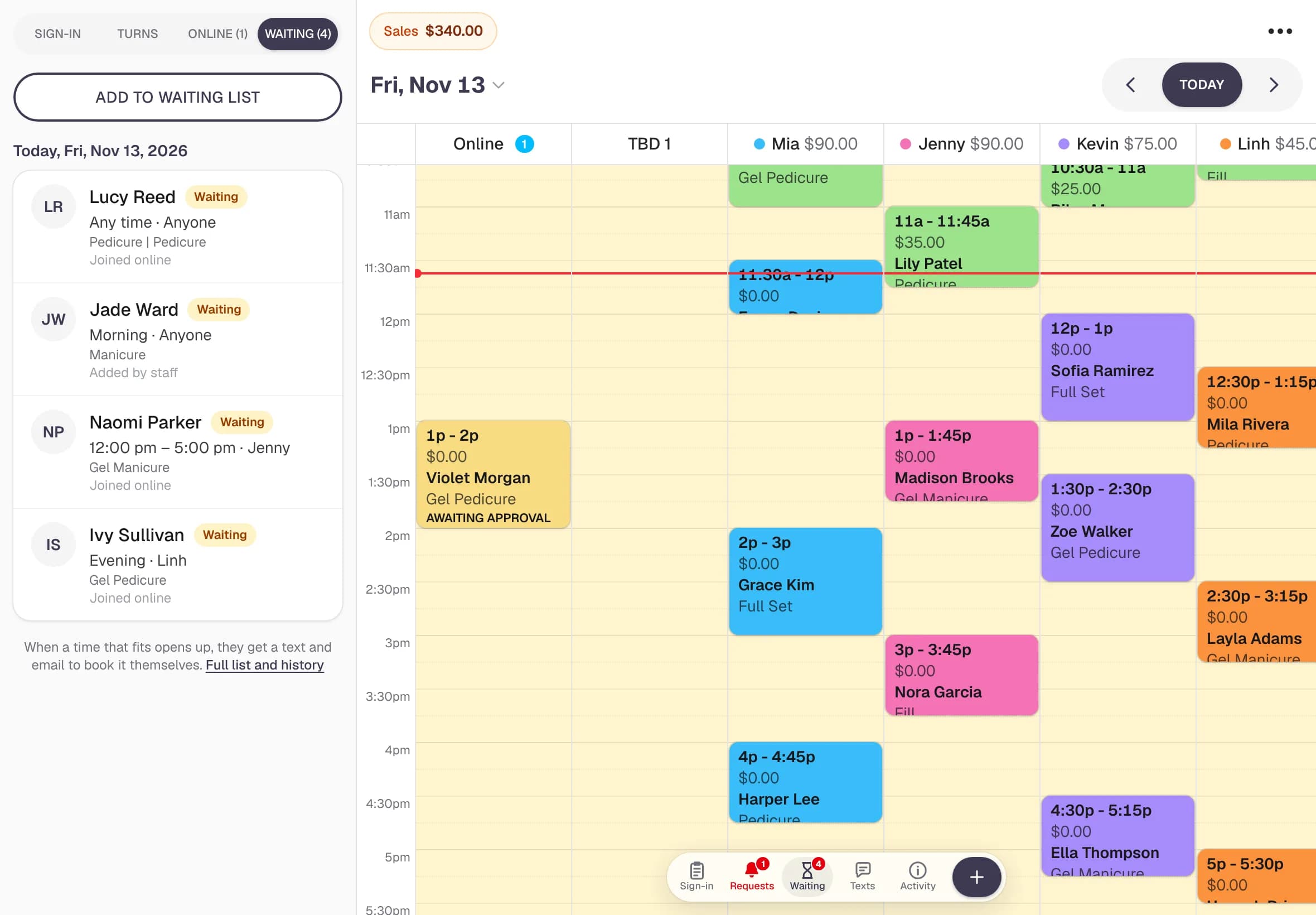
Cancel or move a booking and NailPocket tells the right clients. See every request from the Waiting button on the calendar.
Questions
Waiting list: common questions
Does NailPocket book the opening for the client automatically?
No. Nothing is held or booked for them. The client gets a link that opens your booking page with their tech, services and day filled in, and the first one to book gets the time.
How many texts will a client get?
At most three per request, at least an hour apart, and only for new times. Once they book that day, the request closes and the texts stop.
Can my staff see who is waiting?
Yes. Tap Waiting on the calendar to see each request with the day, time range, technician and party size. Staff can also remove a request.
Is the waiting list the same as the walk-in sign-in?
No. The walk-in sign-in is for clients in the salon right now. The waiting list is for clients who want a time on a day that's fully booked.
Ready for a calmer front desk?
Try every feature free for 14 days. No credit card, no contract, nothing to install.