
Online booking for nail salons
Let clients book their nails 24/7
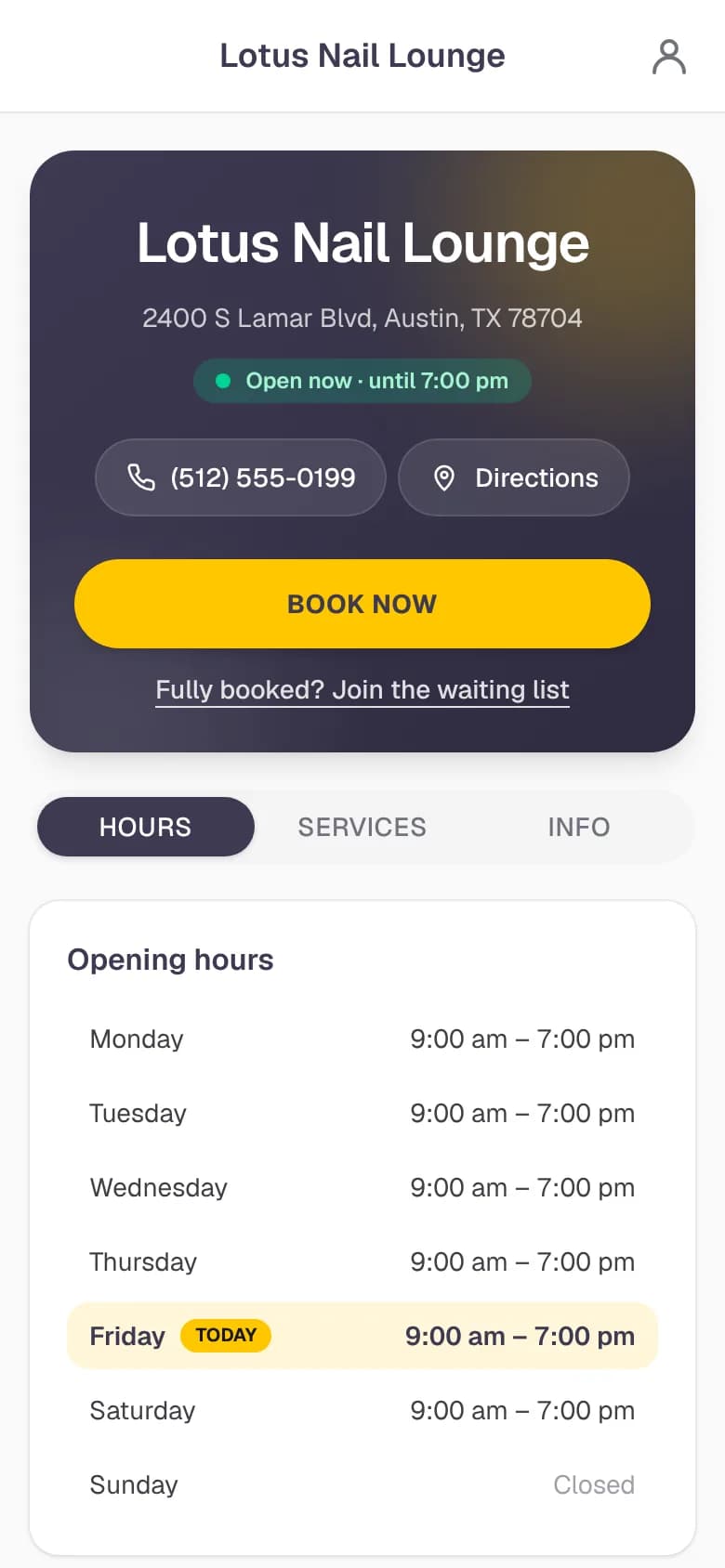
Every NailPocket salon gets its own booking page. Clients choose a technician or anyone, pick their services and book a time that's really free, even while you're busy with a client or closed for the night.
Free for 14 days · No credit card needed
Booked in under a minute, no app or password
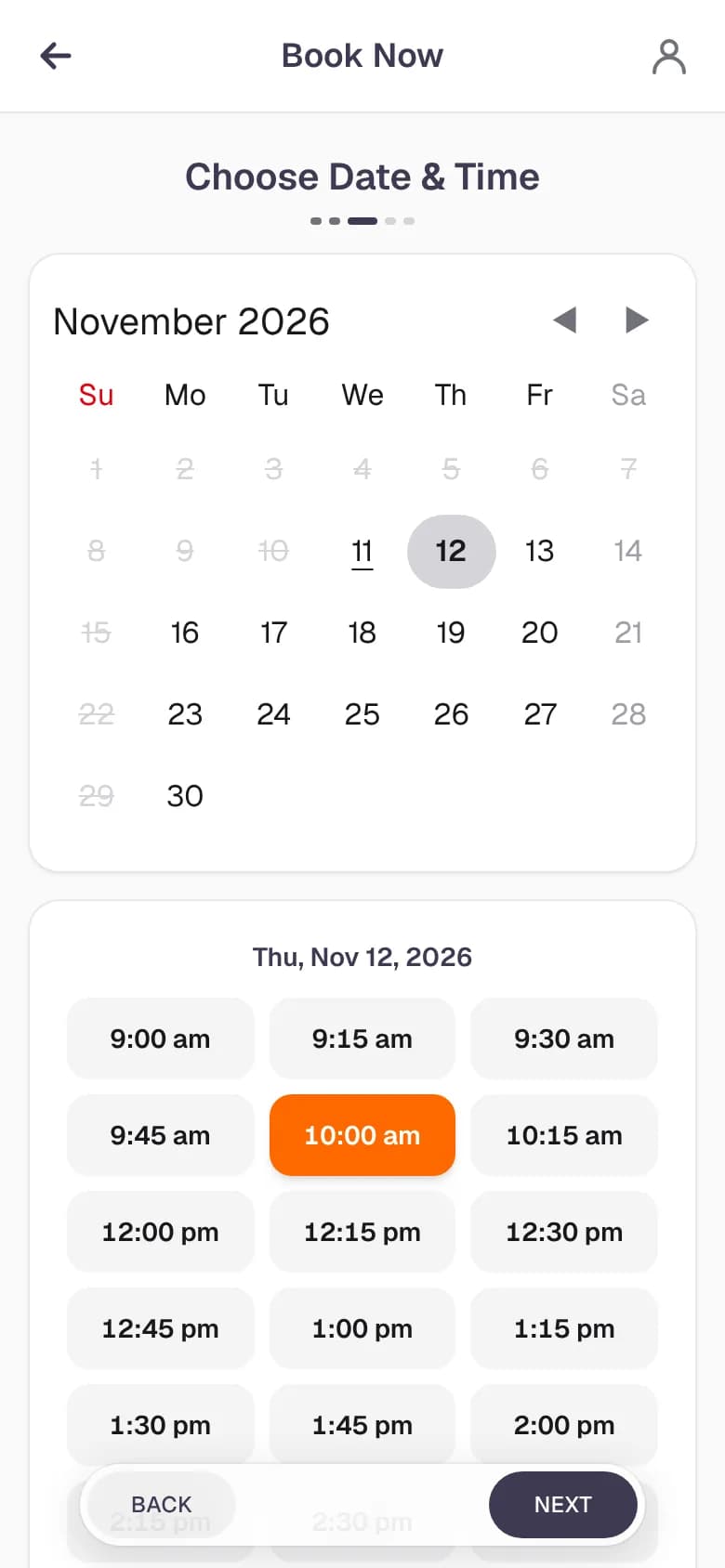
Clients pick a technician (or anyone), choose their services and see only the times that fit around your bookings, staff schedules, days off and opening hours. Then they enter their name and phone number and they're done.
- Pick a favorite tech or let NailPocket find anyone free
- Only techs who do the service are offered, like acrylic with your acrylic techs
- One service from each category: manicure, pedicure, acrylic and more
- Book for two people at the same time
- Your services, prices, hours and directions on the same page
You decide who is confirmed right away
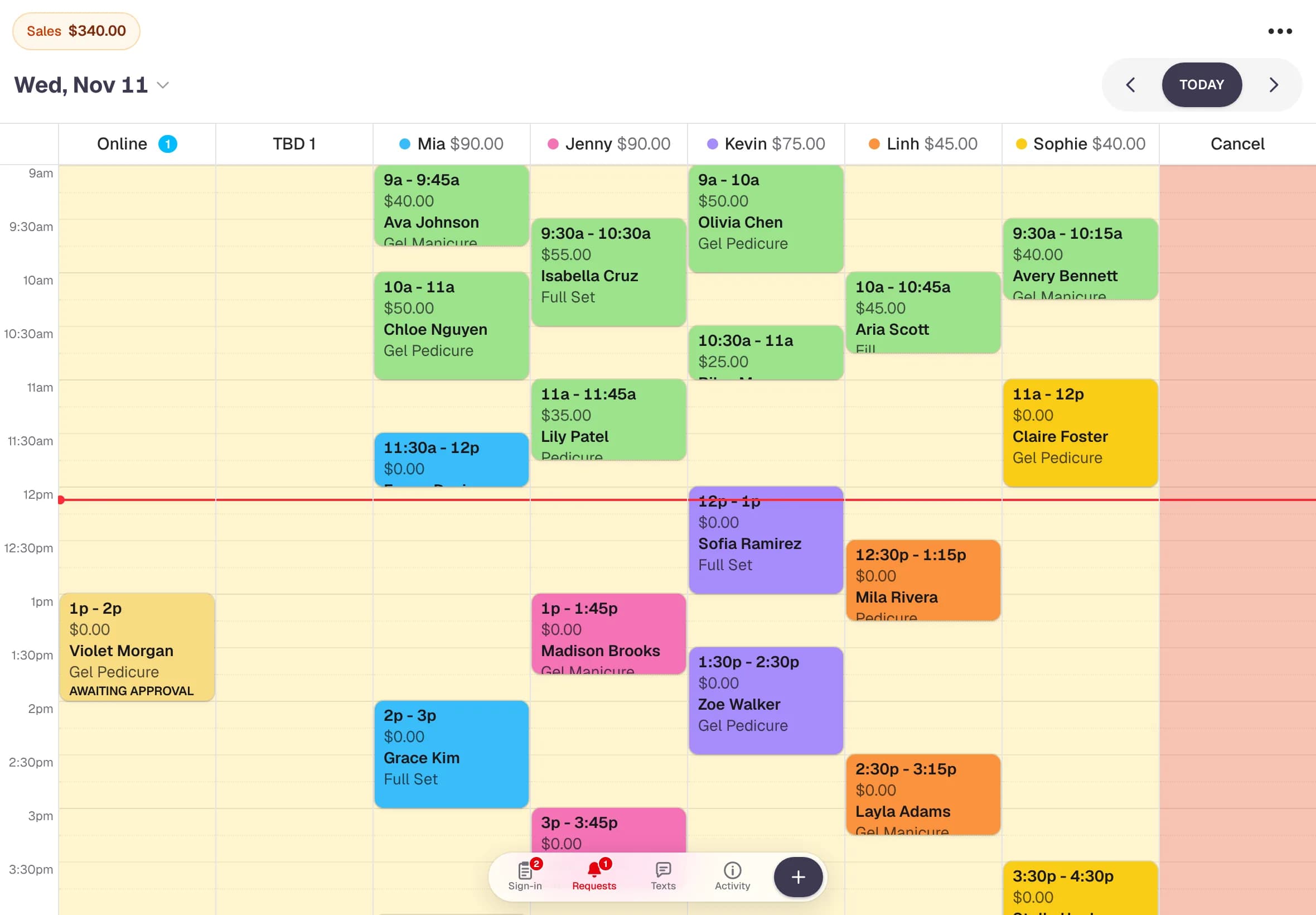
Regular clients with a good history are confirmed instantly. New or flagged clients, and anyone who leaves a note, wait for your OK in the calendar's Online tab, so nothing lands on your book that you didn't want.
- Online bookings show up on every staff screen straight away
- Approve or decline requests in one tap
- Clients with too many no-shows can't book online
- Changes close to the appointment always wait for your approval
Texts that cut no-shows
Clients get a text when they book, a reminder the day before and a message if anything changes. They reply YES to confirm or NO to cancel, and their answers land in your Texts inbox. They can also change or cancel from My bookings.
- Confirmation, reminder, change and cancel texts
- Replies show up in your Texts inbox
- No-shows and late cancellations are tracked on each client
- Full day? Clients can join the waiting list
Lotus Nail Lounge
Wed 7:42 PM
Lotus Nail Lounge: Hi Anna, your appointment (Gel Manicure) is confirmed for Nov 15 at 1:00pm with Jenny. Reply STOP to opt out.
Fri 10:00 AM
Lotus Nail Lounge: Hi Anna, see you tomorrow, Nov 15 at 1:00pm with Jenny (Gel Manicure). Reply YES to confirm or NO if you can't make it.
YES
Lotus Nail Lounge: Hi Anna, you're confirmed for Nov 15 at 1:00pm. See you then!
How it works
Set up in minutes
- 1
Add your services and team
Pick from a ready-made nail menu, set your prices, and add your technicians and their hours.
- 2
Choose who books online
Decide which services and technicians clients can book online. Everything else stays staff-only.
- 3
Share your link
Put your booking page on Instagram, Facebook, Google and your website. Bookings start coming in.
Questions
Online booking: common questions
Do my clients need to download an app or make an account?
No. Your booking page opens in any phone or computer browser. Clients book with their name and phone number. To see, change or cancel a booking later, they get a code by text or email.
Can clients choose their nail technician?
Yes. Clients can pick a technician or choose anyone. They only see technicians you've allowed online, on the days and hours they work.
Will online bookings double-book my technicians?
No. Clients only see times that are free for the services they picked, based on your bookings, staff schedules, days off and opening hours.
Can I approve online bookings before they're confirmed?
Yes. Clients with a good history are confirmed instantly, while new or flagged clients and bookings with a note wait in the Online tab for you to approve or decline.
Where do I share my booking link?
Anywhere your clients find you: your Instagram and Facebook bio, your Google Business Profile, your website, or a text to a regular.
Ready for a calmer front desk?
Try every feature free for 14 days. No credit card, no contract, nothing to install.