Nail salon booking software

The booking app made for nail salons

Calendar, online booking, walk-ins, turns and an AI that answers your chats and calls, in one simple app.

Free for 14 days · No credit card needed

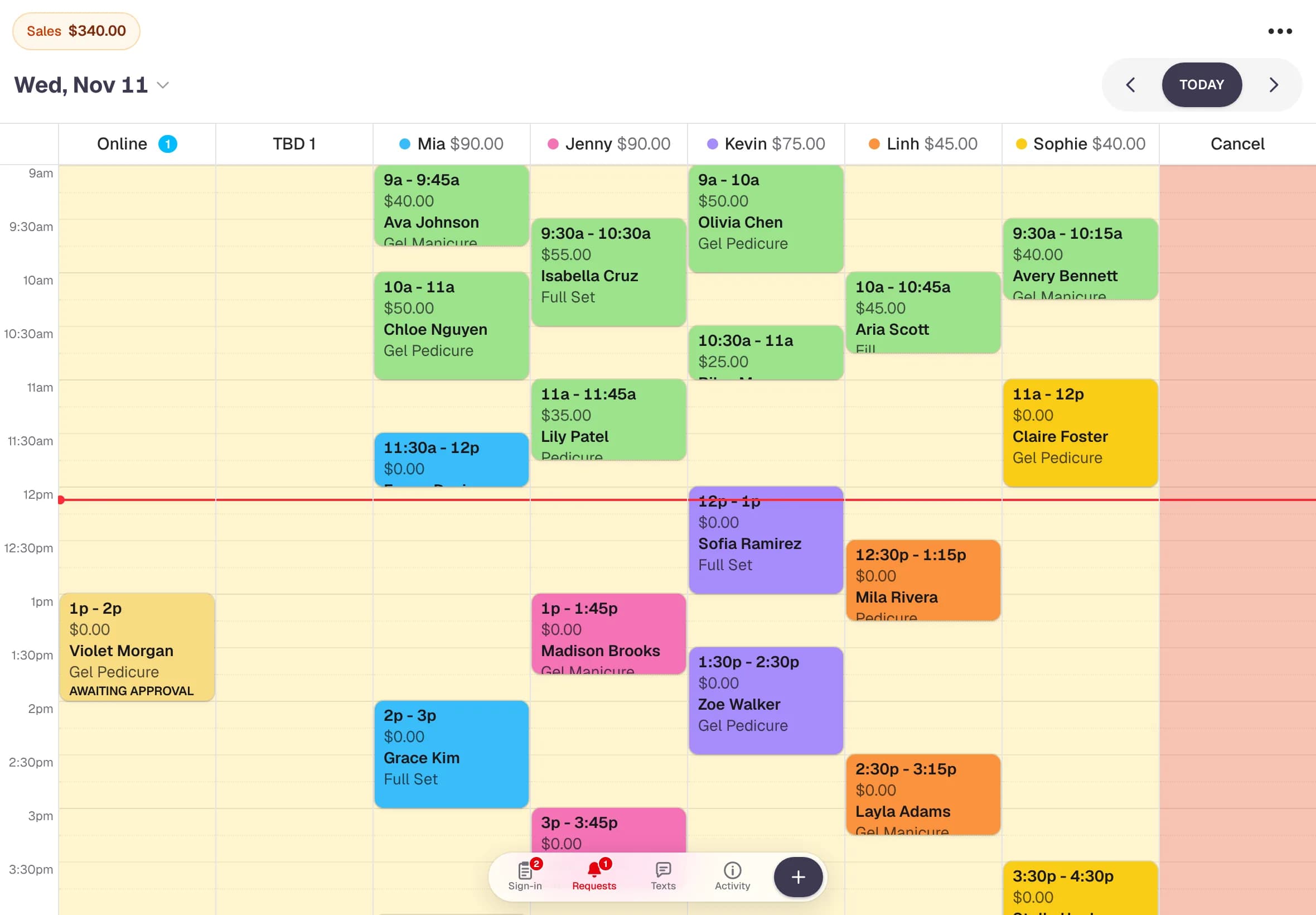
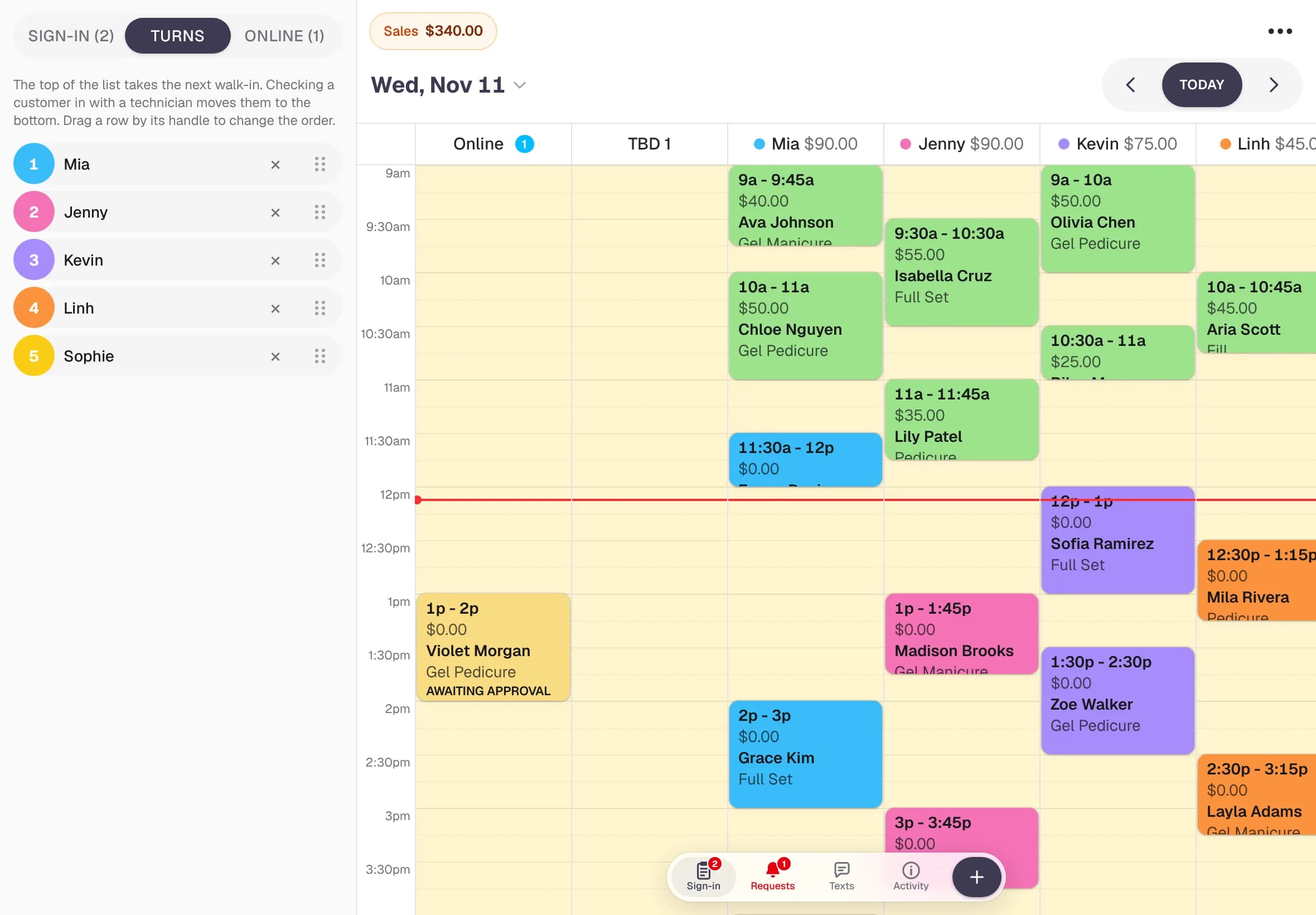
NailPocket's salon calendar on a tablet: a column per technician with the day's appointments and sales
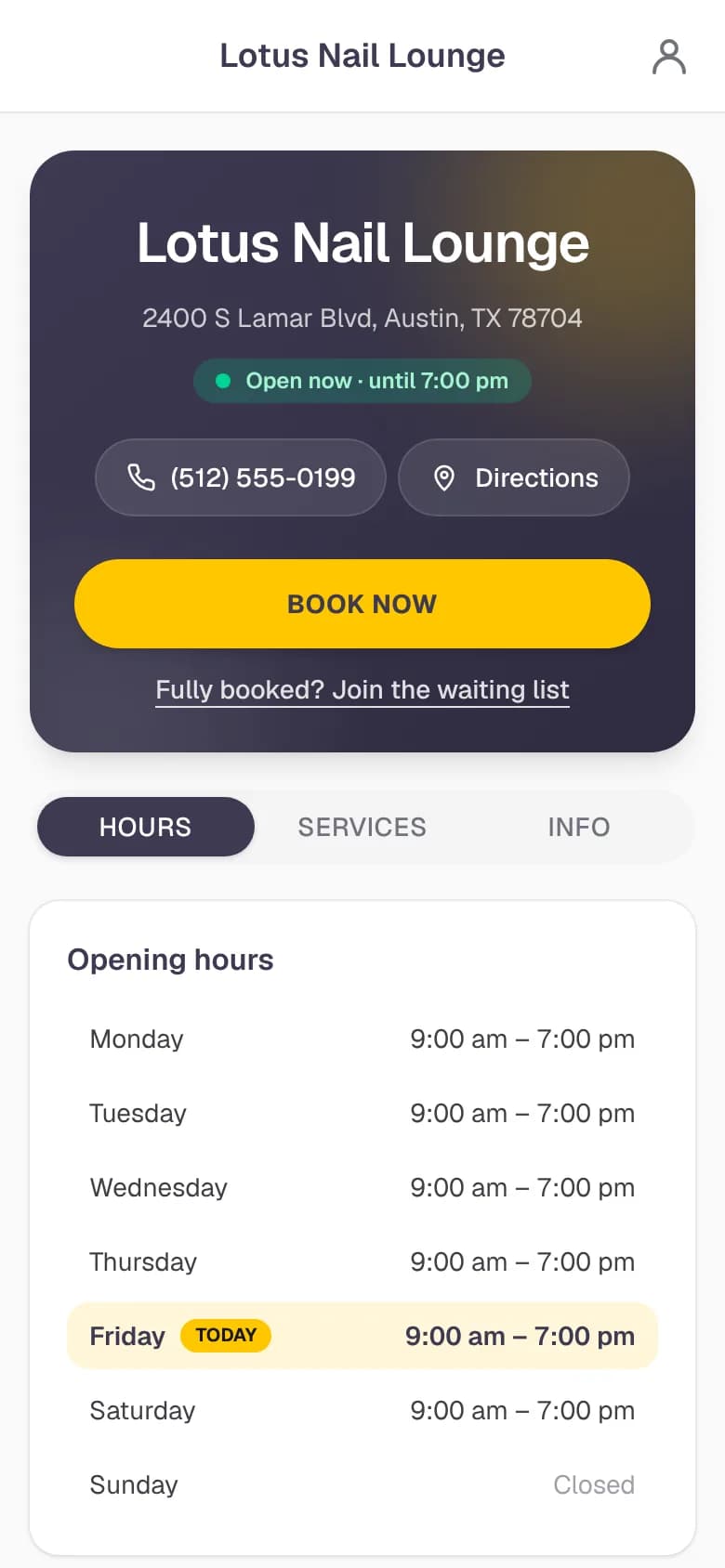
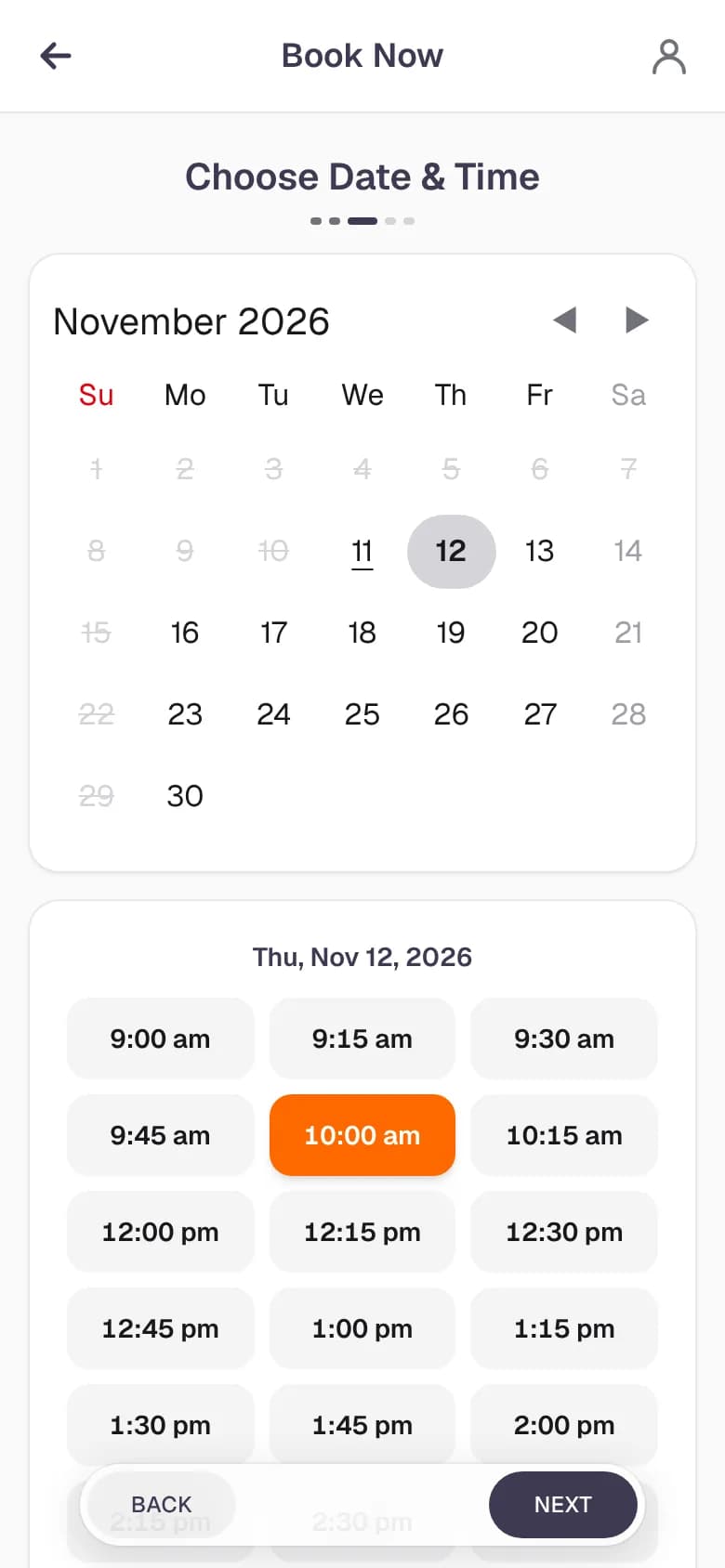
A salon's online booking page on a phone
  • Drag & drop calendar
  • 24/7 online booking
  • Walk-in sign-in kiosk
  • Fair turn list
  • Text reminders
  • AI chat & phone agent

Features

Everything your front desk does, in one app

NailPocket replaces the paper book, the sign-in sheet and the turn list on the wall with one simple app your whole team can use.

A salon calendar your whole team can read at a glance

One column per technician in their own colour, with each person's sales for the day on top. Drag a booking to another tech or time, and every phone and tablet in the salon updates right away.

  • Drag and drop to move or reassign a booking
  • Bookings turn green once they're checked out, so nothing is missed
  • "Anyone" columns for clients who don't mind who does their nails
  • Days off, holidays and closed days are blocked for you
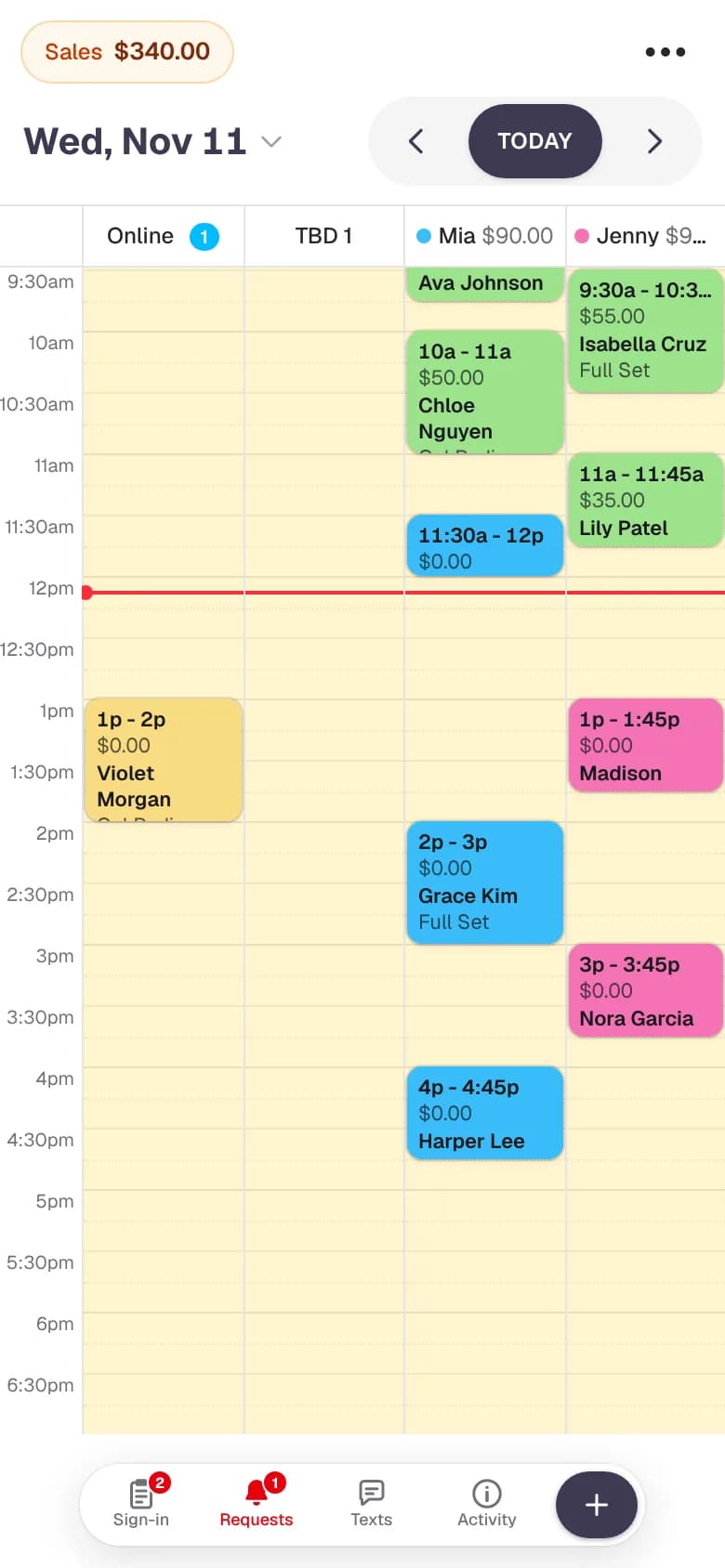
NailPocket's day calendar on a phone, with a column for each nail technician and colour-coded appointments

New · AI receptionist

Never miss a booking, even with your hands full

NailPocket's AI answers your clients by chat and by phone, day and night, in English or Spanish. It knows your services, prices, hours and who's free, and books straight into your calendar.

More about the AI receptionist →

Chat with us

English or Español

Can Jenny do a gel manicure Saturday afternoon?

Yes! Jenny is free Saturday at 1:00, 2:30 or 4:00 PM. A gel manicure is $35. Which time works?

1pm please! I'm Anna.

You're booked with Jenny, Saturday at 1:00 PM. See you then, Anna! 💅

A chat on your booking page that books for you

Clients tap Chat on your booking page and ask in their own words. The assistant answers questions about your services, prices and hours, finds a free time with the tech they want and books it.

  • Answers in English or Spanish, any time of day
  • Books, changes and cancels appointments
  • Checks who it's talking to with a code by text or email before changing a booking
  • Follows your online booking rules, so new or flagged clients still wait for your OK
  • Add your own notes, like parking, payment or walk-in policy

Lotus Nail Lounge

AI phone agent · on a call · 0:42

  1. CallerHola, ¿tienen cita para pedicura hoy?
  2. AI¡Hola! Sí, Linh puede atenderle hoy a las 4:30 o a las 5:15. ¿Cuál prefiere?
  3. CallerA las 4:30, por favor. Soy María.
  4. AIListo, María. Su cita con Linh es hoy a las 4:30. ¡La esperamos!

On the calendar: Pedicure with Linh, 4:30 PM, by AI phone agent

An AI phone agent that picks up every call

Busy with a client when the phone rings? Turn on the phone agent and it answers your salon's calls, books appointments and handles changes, then hands the caller to you when they want a person.

  • Keep your salon's number: calls forward to your agent
  • Books, moves and cancels appointments by phone
  • Speaks English and Spanish
  • Transfers the call to a number you choose when a caller asks for a person
  • Every booking it makes is marked "by AI phone agent" on the calendar

An assistant for your team, right on the calendar

Staff can type a request instead of tapping through screens: look up a client, find a free time, book, move or cancel.

“Move Anna's 1:00 to 2:30 with Mia”

See it in action

A real day in NailPocket, in 30 seconds

Recorded in the app with a demo salon. No editing, no tricks.

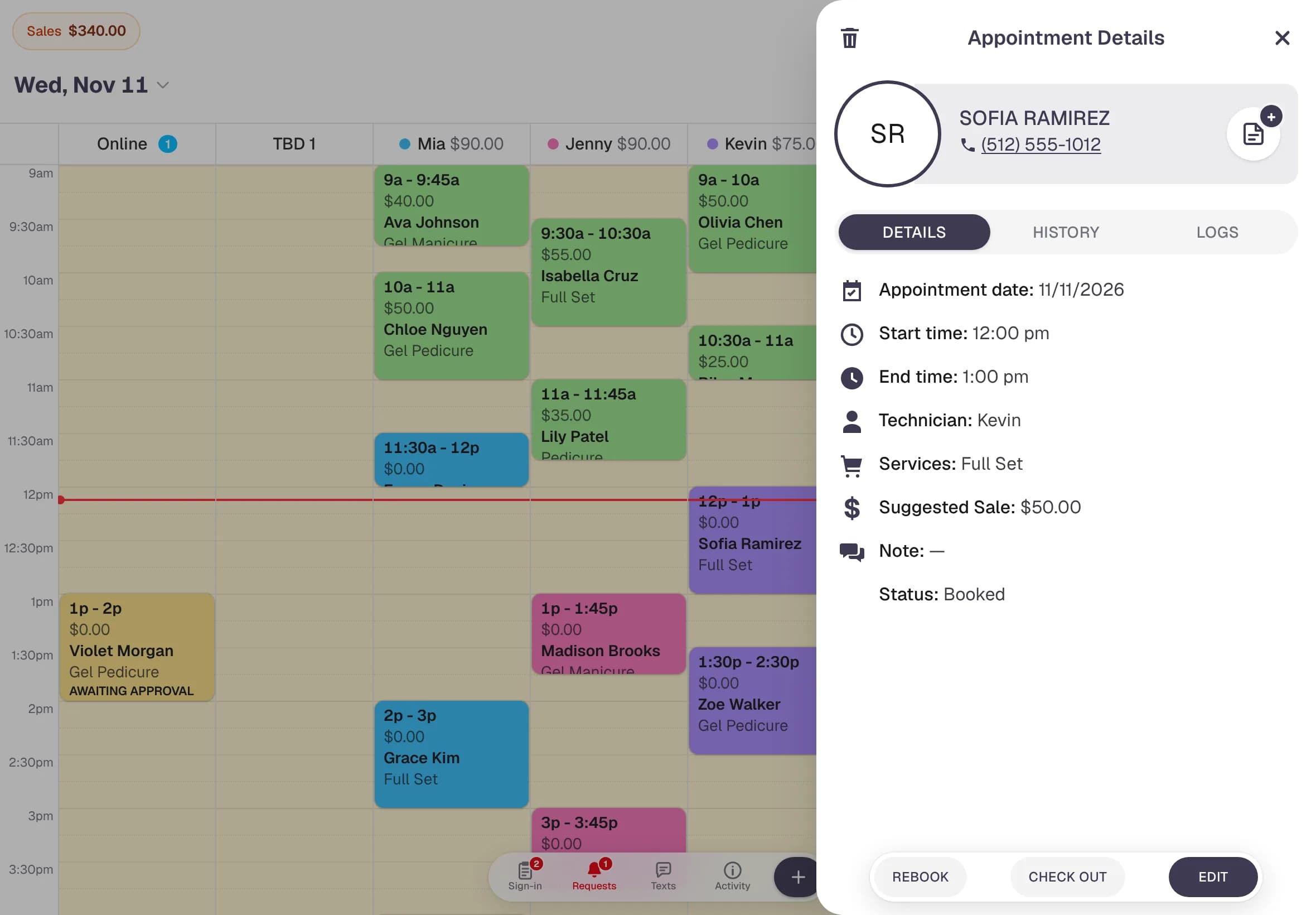
At the front deskOpen a booking, check it out with card, drag an appointment to another tech, then see walk-ins, turns and online requests.
A client booking onlinePick a tech, a gel manicure and a time, enter a name and phone number. Booked in under 30 seconds, no app or password.

Made for nail salons

Built around how nail salons really work

Generic booking apps are made for one-chair studios. NailPocket was built with a busy nail salon, for walk-ins, turns and a full row of technicians.

  • Fair turn list

    Walk-ins go to the next tech up, and whoever takes a client moves to the back of the line.

  • Group bookings

    Book a bride and her friends or a mom and daughter at the same time, then spread them across techs.

  • Double-booking when you need it

    A tech can take a pedicure while a gel sets. The calendar shows overlapping bookings side by side.

  • Waiting list for full days

    When a day is booked up, clients join the waiting list. If a time opens, they get a text with a link to book it.

    Learn more →
  • One account, many stores

    Run several salons from one login. Each has its own staff, hours, services and booking page.

  • Logins for every role

    Owner, manager, front desk, technician or view-only. Each person sees only what they should.

  • Full activity log

    See who booked, moved, checked out or cancelled every appointment, and when.

  • Works on what you have

    iPad, Android tablet, phone or computer. Add it to the home screen and it opens full screen like an app.

How it works

Up and running before your next client

Most salons are set up in about five minutes. No training needed.

  1. 1

    Create your salon

    Enter your salon's name, address and hours. Pick services from a ready-made nail menu and set your own prices.

  2. 2

    Add your team

    Add your technicians by name, give each a colour, and set who works which days.

  3. 3

    Share your booking link

    Put your booking page on Instagram, Google and your website. Bookings show up on your calendar straight away.

Pricing

One simple plan. Every feature included.

No setup fees, no contracts and no paying extra for online booking.

Per store

$39.99 / month

After your free 14-day trial. Includes 3 staff; add more any time for $4.99 a month each.

Start free trial

No credit card needed to start.

  • Calendar with drag and drop
  • Your own online booking page
  • Walk-in kiosk and turn list
  • Text reminders and confirmations
  • Waiting list for full days
  • Client history and no-show tracking
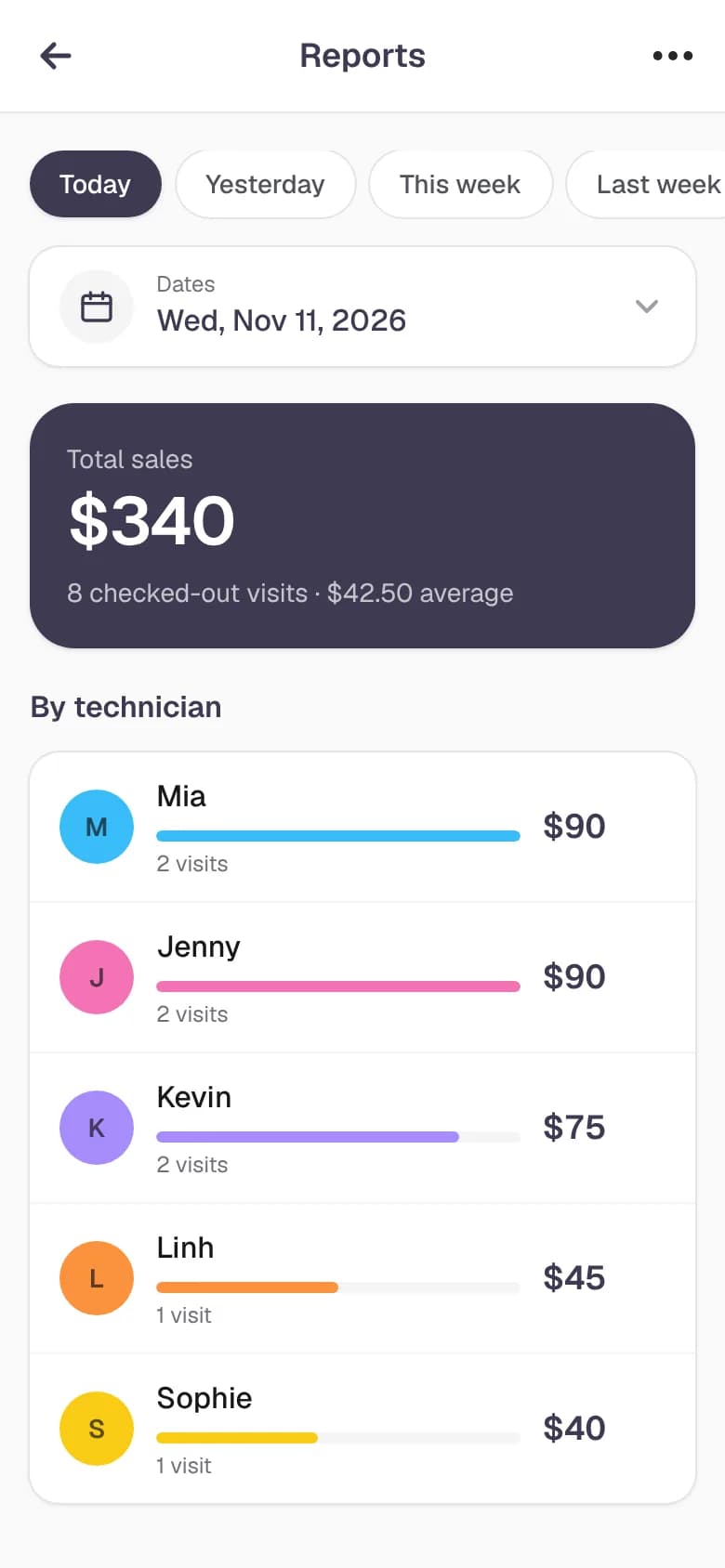
  • Sales reports by technician
  • Logins for every staff role
  • Free updates and support

FAQ

Questions salon owners ask

How much does NailPocket cost?

Every salon starts with a free 14-day trial, with no credit card needed. After that it's one simple monthly plan per store, $39.99 a month with 3 staff included, plus $4.99 a month for each extra staff member. Cancel any time.

Do I need to install anything?

No. NailPocket runs in the web browser on an iPad, Android tablet, phone or computer. Add it to your home screen and it opens full screen, just like an app.

Can my clients book appointments online?

Yes. Every salon gets its own booking page. Clients choose a technician or anyone, pick their services and book a free time. You decide who is confirmed instantly and who waits for your approval.

Not all my techs do every service. Can I set that?

Yes. On each service you can tick which staff do it, for example only your acrylic techs. Online booking, the AI chat and phone agent, the waiting list, check-in and the calendar then only offer those techs, and "anyone" only shows times when one of them is free.

Does NailPocket send appointment reminders?

Yes. Clients can get a text when they book, a reminder the day before, and a text if their appointment is moved or cancelled. They can reply YES to confirm or NO to cancel. You switch each message on or off for your store.

What happens when a day is fully booked?

Clients can join the waiting list for that day, pick a time range and a technician or anyone. When a matching time opens up, NailPocket texts them a link to book it (and emails it too, if they left an email). Nothing is held, so the first to book gets it, and the request closes on its own once they book.

See all questions

Ready for a calmer front desk?

Try every feature free for 14 days. No credit card, no contract, nothing to install.

Start your free trial